Weather at a Glance.
A dedicated e-ink display for your weather station. Battery-powered. Always on.
Your weather, every time you walk by.
Screens Need Your Attention
Dashboards, apps, and kiosk displays are powerful — when you're in front of them. But you're not always at a computer. You're pouring coffee, walking through the shop, heading out the door. The weather doesn't stop just because you stepped away from a screen.
E-Ink Is Always On Duty
A dedicated e-ink display that shows your station data without asking for anything in return. No wake, no unlock, no refresh — just glance at it like a clock. Current conditions, 3-day forecast, sparkline trends, always there, always current.
Two Displays, One Platform
Same firmware, same setup, same features. Pick the display that fits your style.
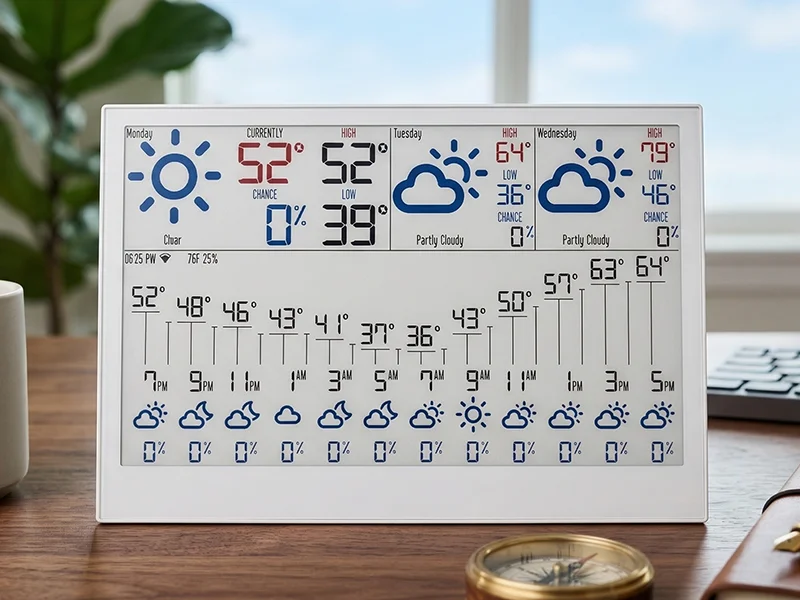
E1002
6-Color7.3″ Spectra 6-color e-paper. Weather icons in red, green, blue, and yellow alongside crisp black text.
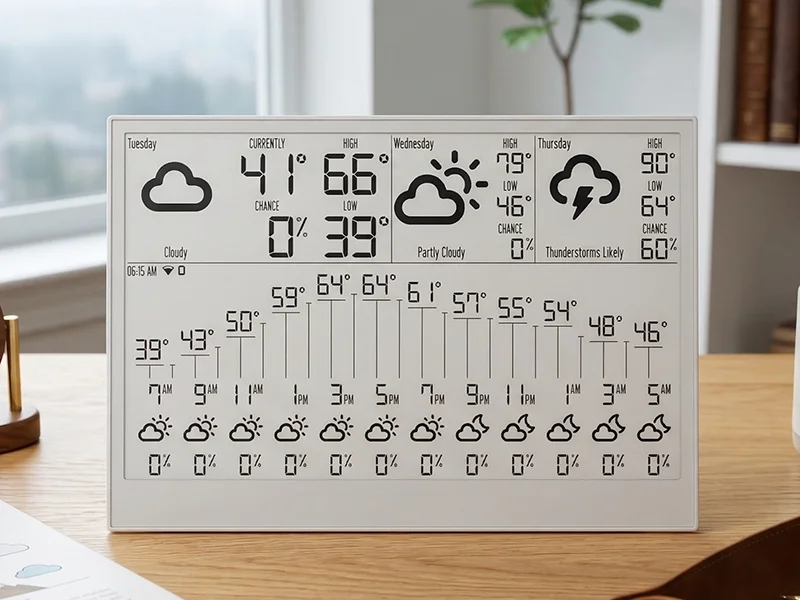
E1001
Monochrome7.5″ black-and-white e-paper with 4-level grayscale. Classic high-contrast look that reads like paper.
Both models include
What's on the Screen
Your display cycles through different views automatically, or you can press a button to switch. Here's what you'll see.
3-Day Forecast
Today, tomorrow, and the next day — highs, lows, weather icons, and an hourly breakdown so you know exactly when to expect rain.
Current Conditions
Temperature, humidity, wind, and pressure — each with a trend line so you can see at a glance whether conditions are rising or falling.
More Coming
New screens are added through automatic updates. Your display gets better over time without you doing anything.
Setup in Under Two Minutes
No app to install. No firmware to flash. Power it on, connect WiFi, enter the claim code — done.
Power On
The display boots and creates a WiFi hotspot. A setup screen with the network name appears right on the e-ink panel.
Connect WiFi
Join the hotspot from your phone. A captive portal opens automatically — pick your WiFi network and enter the password.
Claim It
A 6-character claim code appears on the screen. Enter it at luxwx.com/eink/claim to link the display to your account and station.
Set It Down
Weather data starts flowing immediately. Set it on your desk, shelf, or nightstand. It refreshes itself on schedule — no interaction needed.
Where E-Ink Shines
Desk & Nightstand
Glance at the forecast while you sip your coffee. No screen glow, no charger cable — it sits quietly next to your monitor or on your nightstand like a small picture frame.
Workshop & Farm Office
Wind speed, rain chance, and temperature trends — always visible where you plan your day. No phone to dig out, no browser tab to find.
Kitchen Counter
Check the forecast on your way out the door. A compact display that earns its counter space — always current, never needs charging for months.
Set It and Forget It
Get Yours
Pick how you want to get your display. Buy from us pre-configured and ready to claim, or grab the hardware yourself and flash our firmware.
Explore More Features
Ready to see your weather without reaching for your phone?
Claim your e-ink display in under two minutes. Power on, connect WiFi, enter the code — your station data appears like magic.